
Best Wireless CarPlay Adapters in 2026

The best wireless CarPlay adapters in 2026 are small USB dongles that cost less than a tank of gas. If your car already has wired Apple CarPlay, one of these plugs into the same USB port your iPhone uses and lets the phone connect over Bluetooth and Wi-Fi instead. For most drivers the Ottocast Mini Cube 3.0 is the one to get: it is tiny, handles both CarPlay and Android Auto, and is among the cheapest name-brand options.
This guide is for owners of cars from roughly 2016 onward that have factory wired CarPlay and no wireless option. One point up front, because it causes the most returns: none of these adapters add CarPlay to a car that does not have it. They only remove the cable.
Last checked October 2026: availability, specs and prices.
What to Look for in Wireless CarPlay Adapters
Factory wired CarPlay is required. Every adapter here needs a car or head unit that already runs CarPlay over USB. Ottocast states this for its whole range and sets the cutoff at 2016 or newer vehicles. Cars that only offer wireless CarPlay from the factory, such as some BMW models, are not supported and do not need an adapter anyway.
CarPlay only, or CarPlay plus Android Auto. A dual-system adapter works with iPhones and Android phones, which matters in a shared car or if you might switch phones. CarPlay-only adapters are simpler and fine for an all-iPhone household. For wireless Android Auto, Ottocast and AAWireless both list Android 11 or newer as the baseline.
Reconnect time. After the first pairing, the adapter should reconnect by itself each time you start the car. Makers typically claim around five seconds. Treat that as a best case, since the car’s own infotainment boot time is part of the wait.
The right plug. Check whether your car’s data port is USB-A or USB-C. Many adapters ship in one version and include a converter or a second cable for the other. Also look at where the port sits: in a shallow tray or a closed console, a 90-degree connector or a short cable makes the fit much easier.
Firmware updates. iOS updates and car software updates can break compatibility. An adapter with over-the-air updates, ideally through a companion app, is much more likely to keep working than one that is never patched.
Known exceptions. Read the maker’s compatibility notes before ordering. Ottocast, for example, says its adapters do not work with Sony aftermarket head units and asks Mitsubishi owners to leave a note at checkout.
Best Wireless CarPlay Adapters: Our Picks
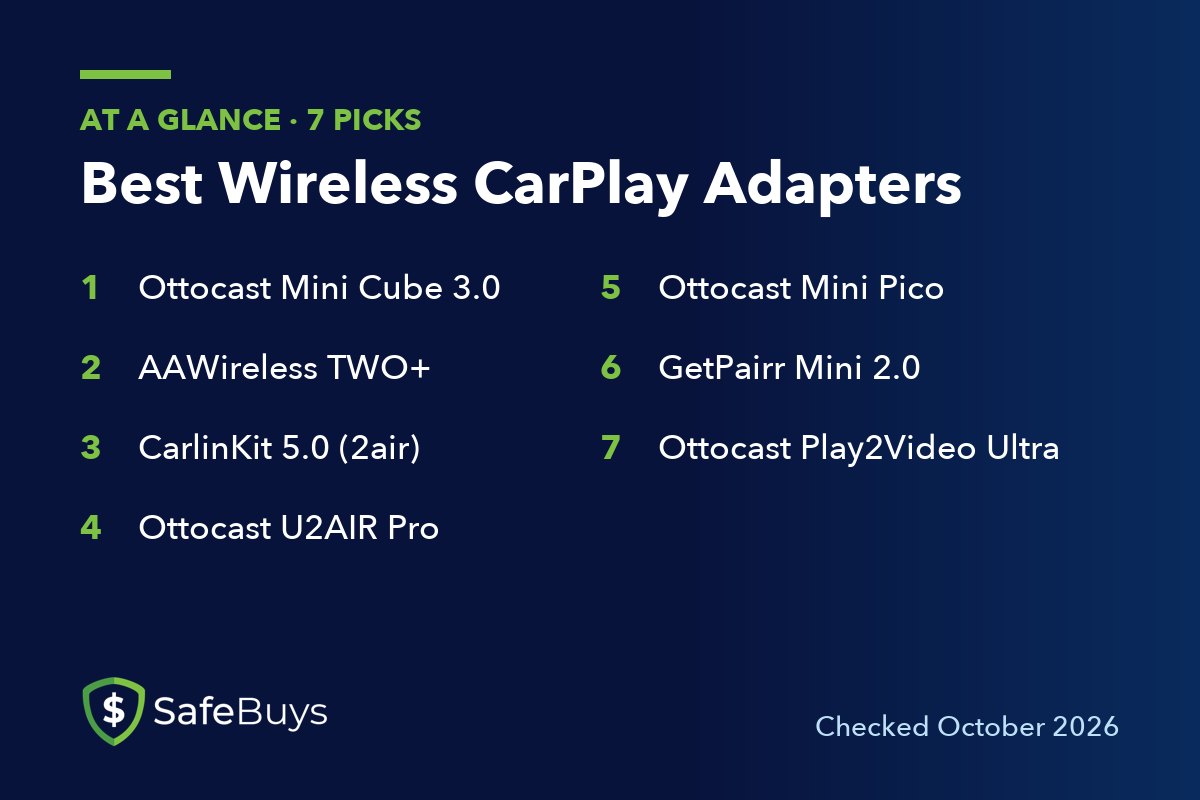
Seven adapters made the list. Each one was on sale from its maker’s own store when checked. Prices in this category swing a lot, with near-permanent “sale” pricing, so treat any list price with caution.
1. Ottocast Mini Cube 3.0
The Ottocast Mini Cube 3.0 is the best pick for most cars. It supports wireless CarPlay and wireless Android Auto, and Ottocast lists its size as 21.6 x 21.6 x 23.5 mm and its weight as about 8.8 grams. The body is aluminum alloy with a 90-degree USB connector, so it sits flat against the port without a dangling cable.
Ottocast says it uses dual-band 2.4 GHz and 5 GHz Wi-Fi and reconnects within five seconds after the first pairing. It is a USB-A device with a USB-A to USB-C adapter in the box, and a USB-C version is also sold. Updates arrive over the air. Ottocast’s store listed it at about $44 (October 2026), with a one-year warranty and 30-day returns.
Pros of the Mini Cube 3.0
- Works with both CarPlay and Android Auto
- Very small, with a 90-degree plug and no cable
- Over-the-air firmware updates and a low price
Cons of the Mini Cube 3.0
- No button for switching phones: it reconnects to the last one used
- A rigid plug-in body can block a neighboring port in tight consoles
- Not compatible with Sony aftermarket head units, according to Ottocast
2. AAWireless TWO+
The AAWireless TWO+ comes from the company that built its name on wireless Android Auto dongles. The “plus” model adds Apple CarPlay, so it serves both phone platforms. AAWireless lists iPhone X or newer for wireless CarPlay and Android 11 or higher for wireless Android Auto.
Its strengths are control and support. A multifunction button on the adapter pairs new phones, switches between paired phones and puts the unit in standby. The companion app for iOS and Android handles setup, firmware updates and button settings. It connects by USB-C and includes a USB-C to USB-A cable. ZDNET’s reviewer, quoted by AAWireless, describes waiting five to eight seconds after starting the engine for the phone to pair.
Pros of the AAWireless TWO+
- Physical button to switch between drivers’ phones
- Companion app with automatic firmware updates
- CarPlay and Android Auto in one adapter
Cons of the AAWireless TWO+
- Larger than the cube-style dongles, and it hangs from a cable
- Availability and pricing vary by country on the maker’s store
- More settings than a single-phone household needs
3. CarlinKit 5.0 (2air)
The CarlinKit 5.0, model CPC200-2air, is one of the best-known dual-system adapters. It converts wired CarPlay or wired Android Auto to wireless and, according to CarlinKit, stores up to five phones for automatic connection. The listing says it supports iPhone 6 and later on iOS 10 or above, and Android phones on Android 11 or above.
It is a small box and not a plug-in stick, and it ships with two short cables, USB-A to USB-C and USB-C to USB-C. That makes it easier to place in a cramped console. CarlinKit says the original microphone, touch screen, steering wheel buttons and knob controls keep working. Updates are over the air. CarlinKit’s store listed it at about $54 (October 2026).
Pros of the CarlinKit 5.0
- Remembers up to five phones
- Both cable types in the box
- Works with CarPlay and Android Auto
Cons of the CarlinKit 5.0
- Settings live on a web page reached over the adapter’s own Wi-Fi, which is less friendly than an app
- The listing shows Bluetooth 4.1, older than newer rivals
- CarlinKit’s store showed it as backordered when checked
4. Ottocast U2AIR Pro
The Ottocast U2AIR Pro is a CarPlay-only adapter. Ottocast is direct about it: iPhone only, and no support for cars that have Android Auto alone. If nobody in the household uses an Android phone, that focus is not a drawback.
It reconnects to the last-used iPhone automatically and receives free software updates. Ottocast lists it for 2016 or newer vehicles with factory wired CarPlay, with a one-year warranty and 30-day returns. It was about $59 (October 2026) on Ottocast’s store. That is more than the Mini Cube 3.0, so the case for it rests on wanting a single-purpose CarPlay unit.
Pros of the U2AIR Pro
- Simple, single-purpose CarPlay adapter
- Automatic reconnection and free updates
- One-year warranty from a long-established brand in this category
Cons of the U2AIR Pro
- No Android Auto
- Costs more than Ottocast’s own dual-system Mini Cube 3.0
- Ottocast publishes few technical details for it
5. Ottocast Mini Pico
The Ottocast Mini Pico follows the same recipe as the Mini Cube 3.0: a compact body, a 90-degree USB connector, wireless CarPlay and Android Auto, no app needed, and over-the-air updates. The difference is a button. Ottocast calls it One Tap Switch: press it and the adapter moves to another paired phone.
That one feature solves the most common complaint about tiny adapters in shared cars, where the dongle grabs whichever phone it saw last. It was about $49 (October 2026) on Ottocast’s store, in USB-A and USB-C versions.
Pros of the Mini Pico
- Button for switching between two drivers’ phones
- Compact, cable-free design
- CarPlay and Android Auto support
Cons of the Mini Pico
- Slightly more expensive than the Mini Cube 3.0
- The button is hard to reach if the USB port is inside a console bin
6. GetPairr Mini 2.0
The GetPairr Mini 2.0 is the budget alternative. It supports wireless CarPlay and Android Auto, uses a 90-degree USB connector, needs no app, and GetPairr claims reconnection within five seconds after the first pairing. USB-A and USB-C versions are sold.
GetPairr’s store listed it at about $39 (October 2026) with a 30-day return policy. The maker publishes fewer details than Ottocast or AAWireless: the product page does not state the Wi-Fi band, Bluetooth version or a list of supported cars. Buy it with the return window in mind.
Pros of the GetPairr Mini 2.0
- Lowest price in this guide
- Dual-system support in a compact plug-in body
- 30-day returns
Cons of the GetPairr Mini 2.0
- Thin published specs and compatibility information
- Extended warranty is a paid add-on
7. Ottocast Play2Video Ultra
The Ottocast Play2Video Ultra does more than cut the cable. Alongside wireless CarPlay and Android Auto, it has Netflix, YouTube, Prime Video and an IPTV app preinstalled, and an App Hub that lets you add up to five more. Ottocast lists 4 GB of RAM, 32 GB of storage, dual-band Wi-Fi 6 and Bluetooth 5.4.
The streaming apps need their own internet connection. Ottocast describes a dual Wi-Fi setup: one link for CarPlay or Android Auto and a second to a hotspot or other network. It was about $89 (October 2026) on Ottocast’s store. This is a product for passengers, or for waiting in a parked car. Video on the dash screen while driving is unsafe and illegal in many places.
Pros of the Play2Video Ultra
- Wireless CarPlay and Android Auto plus built-in streaming apps
- Closed system with over-the-air updates through the OttoPilot app
- USB-A and USB-C connections covered
Cons of the Play2Video Ultra
- About twice the price of a basic adapter
- Streaming needs a phone hotspot or other data connection
- Requires factory wired CarPlay: Ottocast says Android Auto-only cars are not supported
Wireless CarPlay Adapter Questions
Will a wireless CarPlay adapter work in any car?
No. The car or head unit must already support wired CarPlay. The adapter presents itself to the car as a wired iPhone and relays the connection wirelessly. A car with no CarPlay needs a new head unit or a standalone screen instead.
Is there lag compared with a cable?
Owners and reviewers commonly report a small delay on wireless adapters, most noticeable when skipping tracks or during phone calls. Navigation and music playback are largely unaffected. If a short delay on calls would bother you, staying with the cable is a valid choice.
Will my phone still charge?
Not through the adapter. The USB port is now occupied by the dongle, and the phone is not plugged in at all. On longer trips, wireless CarPlay drains the battery, so plan on a wireless charging pad or a separate 12-volt charger.
Can two people use the same adapter?
Yes, but one at a time. Most adapters reconnect to the last phone used. Models with a switch button, such as the AAWireless TWO+ and Ottocast Mini Pico, make it easier to change drivers.
Conclusion
For most drivers with factory wired CarPlay, the Ottocast Mini Cube 3.0 is the best wireless CarPlay adapter: small, inexpensive, updated over the air and ready for an Android phone too. Households where two people share a car should choose the AAWireless TWO+ for its button and app, or the cheaper Ottocast Mini Pico for the same one-press switching in a smaller body.
The CarlinKit 5.0 suits awkward USB port locations thanks to its cables and five-phone memory. iPhone-only owners who want the simplest option can pick the Ottocast U2AIR Pro, and the GetPairr Mini 2.0 is the low-cost gamble with a return window. Only consider the Ottocast Play2Video Ultra if streaming video for passengers is something you will really use.