


The 5 Best Laptops for Listening to Music in 2026

Maybe you like music on while you work, or maybe you just want something good to listen to at the end of the day. Either way, a laptop that plays music well makes a difference. A large share of people now work on laptops, and many do it from home. Some tasks can get repetitive, and a good playlist is often what keeps you going until the deadline.
Plenty of laptops have solid specs for music lovers and still handle everything else you need. This article covers the best laptops for listening to music in 2026, so you can make your workday a little more enjoyable.
Updated September 2026: product availability, specs and prices re-checked.
Factors to Consider When Buying a Laptop for Music
To be sure you get the right laptop for your needs, keep these factors in mind.
Budget
Your budget decides a lot. There is no point looking at a laptop you cannot afford. Instead, decide which features matter most to you and find the model that offers the best value within your price range.
Storage
Most people stream music today, but if you keep a local library or download playlists for offline listening, storage still matters. A 512GB SSD is a sensible minimum. If you do not want to carry an external drive, look for 1TB.
Battery Life
Battery life matters for any laptop. Playing music while you work adds a steady load, so a laptop with a long rated runtime will get you further from the charger. Keep in mind that makers test battery life under light conditions, so real results are usually lower.
Speaker (Sound) Quality
This is the point of the whole list. Look for laptops with speakers tuned by an audio company, support for spatial audio formats, and enough volume to fill a room. Laptop speakers are small, so for the best sound, pair any of these with good headphones or external speakers.
RAM
RAM lets your laptop keep more apps open at once. A music app, a browser full of tabs and your work software can add up quickly. In 2026, 16GB is a comfortable amount for most people, while 8GB is the bare minimum.
The laptops below each have one or more of these factors as a strength. Pick the one that best fits how you work and listen.
1. HyperX OMEN 15
The HyperX OMEN 15 replaces the HP Omen 15 from our original list. OMEN is still HP’s gaming brand, and the 15-inch model on HP’s store in 2026 now carries HyperX branding as well.
On audio, HP lists dual speakers, HP Audio Boost and DTS:X Ultra. That is a similar audio package to the one on the old Omen 15, minus the Bang & Olufsen branding.
The base configuration on HP’s site has an Intel Core i5-14500HX processor and an NVIDIA GeForce RTX 5050 graphics card, which makes it a capable gaming machine too. Memory starts at 8GB and can be configured up to 32GB, and storage goes up to 1TB. The 15.3-inch 2K display runs at up to 165Hz. Like most gaming laptops, it is heavy, starting at 4.89 pounds. That base configuration lists at about $1,700 (September 2026).
Pros of HyperX OMEN 15
- DTS:X Ultra and HP Audio Boost for fuller sound
- Powerful enough for gaming as well as music
- Configurable RAM and storage
Cons of HyperX OMEN 15
- Heavy to carry around
- Gaming hardware is hard on battery life
- Base model has only 8GB of RAM
2. HP OmniBook X Flip 14
The HP Spectre x360 from the original list is gone. HP now sells its consumer laptops under the OmniBook name, and HP’s old Spectre page redirects to the OmniBook range. The HP OmniBook X Flip 14 is the closest match: a thin 2-in-1 with a screen that folds back into tent or tablet mode.
For sound, HP lists dual speakers with audio tuning by Poly Studio, plus DTS:X Ultra and HP Audio Boost. The configuration listed on HP’s store has an Intel Core Ultra 7 256V processor, 16GB of memory and a 512GB SSD. The 14-inch 2K touchscreen is rated at 400 nits.
Battery life is its biggest strength. HP rates it at up to 22 hours and 45 minutes of video playback, and fast charging gets it to about 50% in 30 minutes. It weighs 3.05 pounds. HP had it on sale for about $1,000 (September 2026).
Pros of HP OmniBook X Flip 14
- Very long rated battery life
- Poly Studio audio tuning
- Fast charging
- Flexible 2-in-1 design
Cons of HP OmniBook X Flip 14
- Screen is 14 inches, smaller than the old 15.6-inch Spectre x360
- Memory is soldered on, so you cannot upgrade it later
3. ASUS Vivobook 16 (M1607)
ASUS remains a big name in affordable laptops. The ASUS F556UA-AS54 from our original list is long gone, and the Vivobook 16 (M1607) takes its place as the mid-range, budget-friendly pick.
ASUS says the audio system was designed with help from Dirac, a company that specializes in audio tuning, for clearer and more balanced sound. It runs on AMD Ryzen AI processors (Ryzen AI 5 or Ryzen AI 7 depending on the model) with 16GB of memory, which can be expanded to 32GB on some versions through a spare slot. Storage is 512GB or 1TB.
The 16-inch 1920 x 1200 display is large enough for work and video. Depending on the version, the battery is either 42Wh or 70Wh, so check which one you are buying. It weighs about 4.14 pounds.
Pros of ASUS Vivobook 16
- Audio tuned with help from Dirac
- 16GB of memory as standard, upgradeable on some models
- Big 16-inch screen and full-size ports, including USB-A and HDMI
Cons of ASUS Vivobook 16
- The standard screen covers only 45% of the NTSC color range, so colors look muted
- Some versions have the smaller 42Wh battery
4. Dell XPS 13
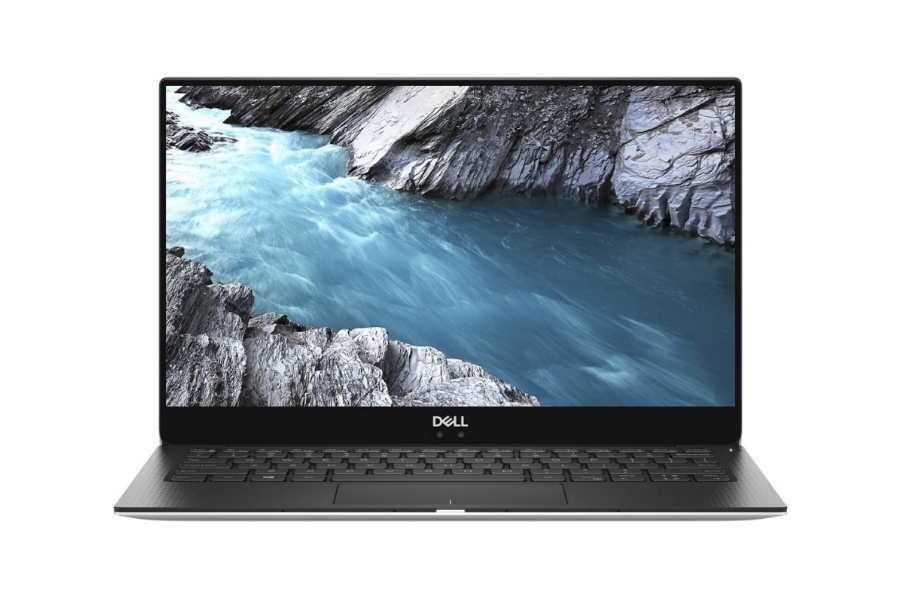
The Dell XPS 13 is still on sale in 2026, now in a newer generation. According to Dell, the current XPS 13 is its thinnest and lightest XPS laptop yet. It is a good fit if you want a small laptop to carry around and listen to music on the go.
It has a 13.4-inch 2K display and an Intel Core processor. Dell rates it at up to 17 hours of streaming, which is helpful if you play music all day. It starts at 2.2 pounds and is 0.50 inches thin, so it slips into almost any bag.
Dell does not make big claims about the speakers on this model. If sound quality is your top priority, plan to use headphones or a Bluetooth speaker with it.
Pros of Dell XPS 13
- Very light and thin
- Long rated battery life for streaming
- Premium CNC aluminum build
Cons of Dell XPS 13
- Small 13.4-inch screen
- Speakers are not a highlight
5. Microsoft Surface Pro
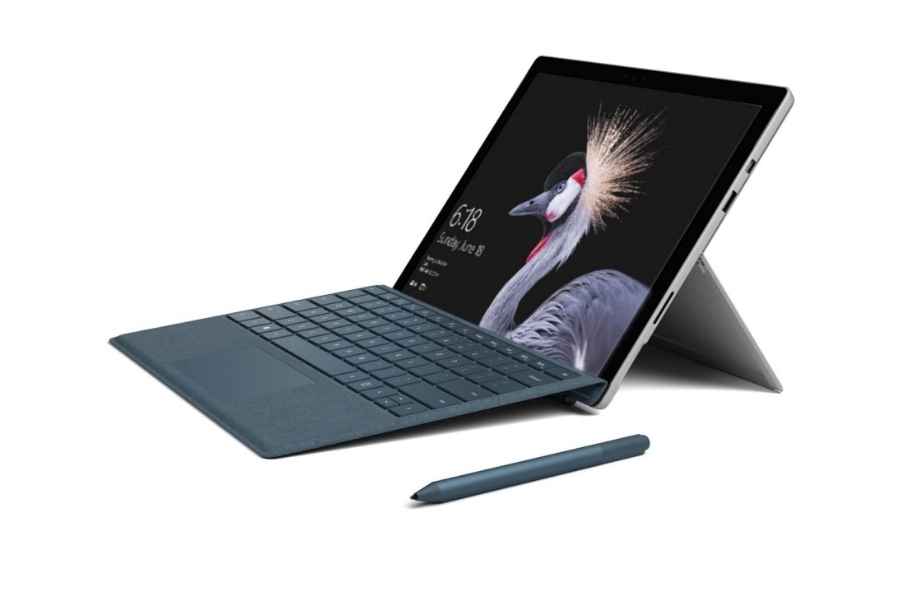
The Microsoft Surface Pro is still a 2-in-1 that works as both a tablet and a laptop with a detachable keyboard. The current version is the 12th Edition, which comes in 12-inch and 13-inch sizes. It is easy to use in almost any position, from a desk to a couch to a kitchen counter.
The battery story has changed a lot since the model in our original list. Microsoft now rates the Surface Pro at up to 15.5 hours of video playback. It runs on Qualcomm Snapdragon X2 processors, and the 13-inch model has a 2880 x 1920 screen at 120Hz with an OLED or LCD option. Microsoft says the speakers support Dolby Atmos content.
The 13-inch model starts at about $1,350 (September 2026), and the keyboard is extra. It is no longer the cheap option it once was.
Pros of Microsoft Surface Pro
- Excellent display quality
- Long rated battery life
- Works as a tablet or a laptop
Cons of Microsoft Surface Pro
- Expensive once you add a keyboard
- Some older Windows apps may not run well on Arm-based Snapdragon chips
Related reading
Conclusion
There are plenty of laptops for listening to music, but these five cover the main needs. The HyperX OMEN 15 suits gamers, the OmniBook X Flip 14 wins on battery life, the Vivobook 16 offers good sound for less, the XPS 13 is the most portable, and the Surface Pro doubles as a tablet. Pick the one that matches your budget and habits, and pair it with good headphones for the best sound.