


Best Wi-Fi 7 Routers in 2026

The best Wi-Fi 7 routers in 2026 are no longer only for early adopters. A tri-band model with 6 GHz, a full set of 2.5 Gbps ports and Multi-Link Operation now sits in the mid-range, and for most homes the TP-Link Archer BE550 is the one to buy. It has every headline Wi-Fi 7 feature without the cost of a flagship.
This guide is for people who are deciding whether Wi-Fi 7 is worth it at all, and which class of router fits their internet plan and devices. If you pay for multi-gig fiber or cable, own recent phones and laptops, or move large files to a NAS, there is a real gain. If your plan is 500 Mbps and your devices are a few years old, a cheaper dual-band Wi-Fi 7 router, or the router you already have, will serve you just as well.
Last checked October 2026: availability, specs and prices.
What to Look for in Wi-Fi 7 Routers
The 6 GHz band. This is the part that matters most. According to the Wi-Fi Alliance, the new 320 MHz channels exist only in the 6 GHz band, and they are what double throughput compared with Wi-Fi 6. A dual-band Wi-Fi 7 router (2.4 GHz and 5 GHz only) still carries the Wi-Fi 7 label but tops out at 160 MHz channels. It is cheaper, and much closer to a Wi-Fi 6 router in practice.
Multi-Link Operation (MLO). MLO lets a Wi-Fi 7 device hold links on more than one band at once. The Wi-Fi Alliance credits it with higher throughput and improved reliability. It only works when both the router and the client support Wi-Fi 7, so older phones and laptops see no change.
Multi-gig ports. A router cannot hand out more speed than its WAN port accepts. For plans up to 2.5 Gbps, a 2.5 Gbps WAN port is enough. For 5 Gbps or faster plans, look for a 10 Gbps port. Check the LAN side too: several expensive routers pair two 10 Gbps ports with four plain gigabit ports, which limits wired PCs and access points.
4K-QAM and speed classes. Wi-Fi 7 adds 4K-QAM, which the Wi-Fi Alliance says gives 20% higher transmission rates than Wi-Fi 6. The “BE” number on the box (BE3600, BE9300, BE19000) is the sum of the maximum rates on all bands. No single device ever gets that figure.
Coverage and mesh. 6 GHz is fast but short-ranged, and it loses strength through walls sooner than 5 GHz. In a large or multi-story home, two mid-range units often beat one flagship.
Software and subscriptions. ASUS includes its security and parental controls at no charge. Netgear, TP-Link and eero put some of those features behind a paid plan.
Best Wi-Fi 7 Routers: Our Picks
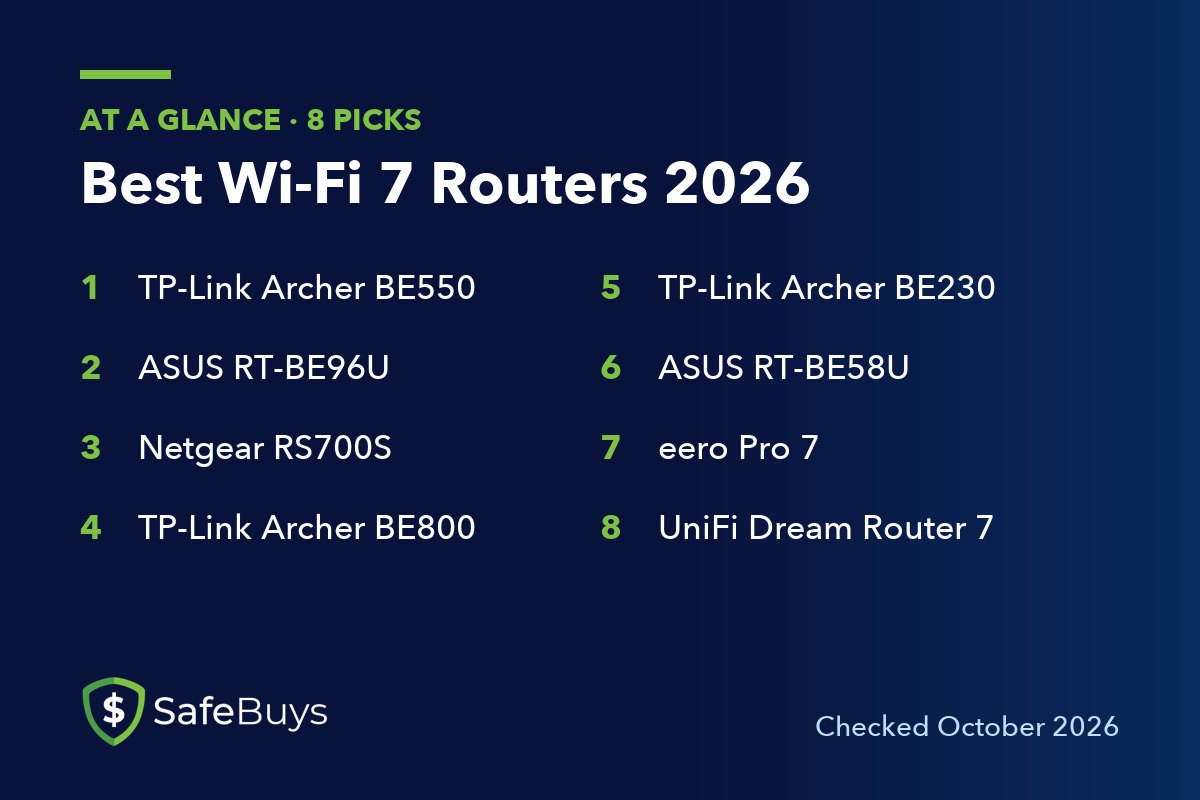
The eight routers below run from a basic dual-band model to 10 Gbps flagships. All were listed as current products by their makers when checked.
1. TP-Link Archer BE550
The TP-Link Archer BE550 is a BE9300 tri-band router, and it is the easiest recommendation here. TP-Link lists 5,760 Mbps on 6 GHz, 2,880 Mbps on 5 GHz and 574 Mbps on 2.4 GHz, with 320 MHz channels and MLO supported.
The port layout is the real draw. Every Ethernet port is 2.5 Gbps: one WAN and four LAN, plus a USB 3.0 port. A wired PC, a NAS and a 2.5 Gbps internet plan can all run at full speed. TP-Link rates it for four-bedroom houses, and it is EasyMesh-compatible if you need to add a unit later.
Pros of the Archer BE550
- Full tri-band Wi-Fi 7 with 6 GHz, 320 MHz channels and MLO
- Five 2.5 Gbps ports, with no gigabit-only ports to work around
- EasyMesh support for later expansion
Cons of the Archer BE550
- No 10 Gbps port, so it is not the right match for 5 Gbps or 10 Gbps plans
2. ASUS RT-BE96U
The ASUS RT-BE96U is a BE19000 tri-band flagship. ASUS lists 11,529 Mbps on 6 GHz, 5,764 Mbps on 5 GHz and 1,376 Mbps on 2.4 GHz. It has two 10 Gbps ports (one of them WAN/LAN), a gigabit WAN/LAN port and four gigabit LAN ports with link aggregation.
What sets it apart is the software. ASUS includes AiProtection Pro security, parental controls and VPN features, WireGuard among them, without a subscription. It also works as an AiMesh hub with other ASUS routers.
Pros of the RT-BE96U
- Two 10 Gbps ports for multi-gig internet and a fast wired device
- Security and parental controls included at no extra charge
- AiMesh lets you reuse older ASUS routers as nodes
Cons of the RT-BE96U
- The other four LAN ports are gigabit only, with no 2.5 Gbps ports
- Flagship pricing that few households can justify
3. Netgear Nighthawk RS700S
The Netgear Nighthawk RS700S is Netgear’s BE19000 tri-band tower. Netgear rates it for up to 3,500 square feet and more than 200 connected devices, with a 10 Gbps internet port, a 10 Gbps LAN port, four gigabit LAN ports and USB 3.0. Netgear’s own store listed it at about $530 (October 2026).
The upright design keeps the footprint small. Netgear Armor, the Bitdefender-powered security suite, is an optional subscription.
Pros of the Nighthawk RS700S
- 10 Gbps WAN and 10 Gbps LAN
- High coverage rating for a single unit
Cons of the Nighthawk RS700S
- Four of the five LAN ports are gigabit only
- Armor security costs extra after any trial period
- Expensive next to mid-range tri-band routers with similar real-world range
4. TP-Link Archer BE800
The TP-Link Archer BE800 is the pick for people with a lot of wired gear. It is a BE19000 tri-band router with 12 streams, and TP-Link lists 11,520 Mbps on 6 GHz, 5,760 Mbps on 5 GHz and 1,376 Mbps on 2.4 GHz.
The wired side is stronger than on the ASUS and Netgear flagships. There are two 10 Gbps WAN/LAN ports, one of them an SFP+/RJ45 combo that accepts a fiber module, and all four remaining LAN ports are 2.5 Gbps. A USB 3.0 port rounds it out.
Pros of the Archer BE800
- Two 10 Gbps ports plus four 2.5 Gbps ports, with no gigabit bottleneck
- SFP+ combo port for direct fiber connections
- 320 MHz channels and MLO on a 12-stream design
Cons of the Archer BE800
- Far more router than a plan under 2.5 Gbps can use
5. TP-Link Archer BE230
The TP-Link Archer BE230 is a BE3600 dual-band router: 2,882 Mbps on 5 GHz and 688 Mbps on 2.4 GHz. There is no 6 GHz radio, so there are no 320 MHz channels. What you do get is MLO across the two bands, 4K-QAM, a 2.5 Gbps WAN port, one 2.5 Gbps LAN port, three gigabit LAN ports and USB 3.0.
TP-Link rates it for three-bedroom houses. For gigabit plans in apartments and smaller homes, it is a sensible buy.
Pros of the Archer BE230
- 2.5 Gbps WAN and one 2.5 Gbps LAN port at a budget level
- Dual-band MLO for Wi-Fi 7 phones and laptops
- EasyMesh-compatible
Cons of the Archer BE230
- No 6 GHz band, so it misses the biggest Wi-Fi 7 upgrade
- Only one multi-gig LAN port
6. ASUS RT-BE58U
The ASUS RT-BE58U is ASUS’s take on the same class: BE3600, dual-band, 2,882 Mbps on 5 GHz and 688 Mbps on 2.4 GHz, with dual-band MLO and 4K-QAM. ASUS lists a quad-core 2.0 GHz processor, 1 GB of RAM, a 2.5 Gbps WAN/LAN port and coverage up to 2,000 square feet.
Choose it over the TP-Link if you care about software. AiProtection and parental controls are included, AiMesh works with ASUS routers of any Wi-Fi generation, and the USB port supports 4G LTE and 5G phone tethering as a backup internet connection.
Pros of the RT-BE58U
- Subscription-free security and parental controls
- AiMesh and built-in VPN support, WireGuard included
- USB tethering as a backup WAN
Cons of the RT-BE58U
- No 6 GHz band
- Single 2.5 Gbps port, so you cannot have multi-gig in and out at once
7. eero Pro 7
The eero Pro 7 is the mesh choice. Each unit is tri-band, has two auto-sensing 5 Gbps Ethernet ports, and is rated by eero for 2,000 square feet and more than 200 devices. eero quotes wireless speeds up to 3.9 Gbps and suggests it for internet plans up to 5 Gbps. A single unit was listed at about $225 on eero’s store (October 2026), a sale price against a $299.99 list price, with two-packs and three-packs available.
eero is the simplest system here to set up and run. Each unit also works as a smart home hub for Thread, Zigbee and Matter devices. The trade-off is control: there are few manual settings, and advanced security, ad blocking and the VPN need an eero Plus subscription.
Pros of the eero Pro 7
- Tri-band mesh that scales from one unit to three
- Two 5 Gbps ports on every unit, useful for wired backhaul
- Built-in Thread, Zigbee and Matter hub, plus a three-year warranty
Cons of the eero Pro 7
- Only two Ethernet ports per unit
- Limited manual configuration compared with ASUS or Ubiquiti
- Advanced features require eero Plus
8. Ubiquiti UniFi Dream Router 7
The UniFi Dream Router 7 is for people who like to manage their network. It is a tri-band Wi-Fi 7 router and a full UniFi gateway in one, listed at about $279 (October 2026) on Ubiquiti’s store. Ubiquiti’s spec sheet shows 2×2 radios on all three bands, a 10G SFP+ port, four 2.5 GbE ports (one with PoE output), IDS/IPS throughput of 2.3 Gbps and a coverage area of 1,750 square feet.
It ships with a 64 GB microSD card so it can record UniFi Protect cameras, and it manages UniFi switches and access points. As a lone router in a big house, its two-stream radios and modest coverage rating put it behind the flagships above.
Pros of the Dream Router 7
- 10G SFP+ and four 2.5 GbE ports at a mid-range price
- Full UniFi controller, firewall and VLAN tools with no subscription
- PoE port and bundled storage for a camera or access point
Cons of the Dream Router 7
- 2×2 radios and a 1,750 square foot rating limit single-unit coverage
- The 10 Gbps port is SFP+, so a copper connection needs an adapter
- The UniFi interface asks more of the owner than consumer apps do
Which Wi-Fi 7 Router Should You Buy?
Is Wi-Fi 7 worth it in 2026?
Yes, if you are buying a router anyway and have at least a few Wi-Fi 7 devices, or an internet plan faster than 1 Gbps. The gains need Wi-Fi 7 clients. If your current Wi-Fi 6 router covers your home and your plan is under a gigabit, there is no urgent reason to replace it.
Do I need a tri-band Wi-Fi 7 router?
For the full benefit, yes. Dual-band Wi-Fi 7 routers such as the Archer BE230 and RT-BE58U have no 6 GHz radio, and 320 MHz channels only exist on 6 GHz. They are fine budget routers, but the upgrade over Wi-Fi 6 is small.
Do I need 10 Gbps ports?
Only if your internet plan is faster than 2.5 Gbps, or you move large files between a 10 Gbps NAS and a workstation. For everyone else, a router with all 2.5 Gbps ports is the better use of money.
Related reading
Conclusion
Most households should buy the TP-Link Archer BE550: tri-band, 6 GHz, MLO and five 2.5 Gbps ports cover everything a plan up to 2.5 Gbps can deliver. If you have a 5 Gbps or 10 Gbps plan, the TP-Link Archer BE800 has the best wired layout, and the ASUS RT-BE96U is the choice if you want security and parental controls with no subscription. The Netgear Nighthawk RS700S suits homes that want a compact tower with a high coverage rating.
For large or awkward floor plans, the eero Pro 7 mesh is the low-effort answer. Tinkerers and anyone planning cameras or wired access points should look at the UniFi Dream Router 7. And if your plan is a gigabit or less, the dual-band TP-Link Archer BE230 or ASUS RT-BE58U will do the job for less, as long as you accept that they leave out 6 GHz.