


Best Mesh Wi-Fi Systems in 2026

The best mesh Wi-Fi systems in 2026 fix the problem a single router cannot: weak signal at the far end of the house. For most homes the TP-Link Deco BE63 is the kit to buy. It is a tri-band Wi-Fi 7 system with 2.5 Gbps ports on every unit, and TP-Link rates the two-pack for up to 5,800 square feet.
This guide is for people with dead zones, multi-story homes or a router stuck in a corner by the modem. If your home is small and one router already reaches every room, a mesh kit will not make your internet faster. If you lose signal in the bedroom, the garage or the back yard, two or three nodes are usually the cleanest fix.
Last checked October 2026: availability, specs and prices.
What to Look for in Mesh Wi-Fi Systems
Wi-Fi generation. Mesh kits on sale today are Wi-Fi 6, Wi-Fi 6E or Wi-Fi 7. Wi-Fi 6 kits use the 2.4 GHz and 5 GHz bands and are the cheapest. Wi-Fi 6E adds the 6 GHz band. Wi-Fi 7 kits add features such as Multi-Link Operation (MLO) and, on tri-band models, 320 MHz channels on 6 GHz. Each pick below is labeled so you know what you are paying for.
Coverage and node count. Makers quote coverage per pack, and the numbers assume open space. Count walls and floors, not just square feet. A two-pack suits most two-story houses. A three-pack makes sense for long ranch layouts, basements and detached rooms.
Backhaul. Backhaul is the link between the nodes. Wireless backhaul is easy but it shares airtime with your devices. If your home has Ethernet in the walls, pick a kit that supports wired backhaul. Every node then runs at close to full speed.
Ethernet ports. Check the ports on every unit, not only the main one. Gigabit ports are fine for plans up to 1 Gbps. For faster plans, or for a wired link between nodes, look for 2.5 Gbps or 10 Gbps ports.
Device capacity. Smart plugs, cameras and TVs add up fast. Makers publish a device count for each kit, from about 75 on entry models to 200 on the larger ones.
Subscriptions. Some brands put security and advanced parental controls behind a paid plan. ASUS includes its security suite. Netgear and eero sell theirs as add-ons.
Best Mesh Wi-Fi Systems: Our Picks
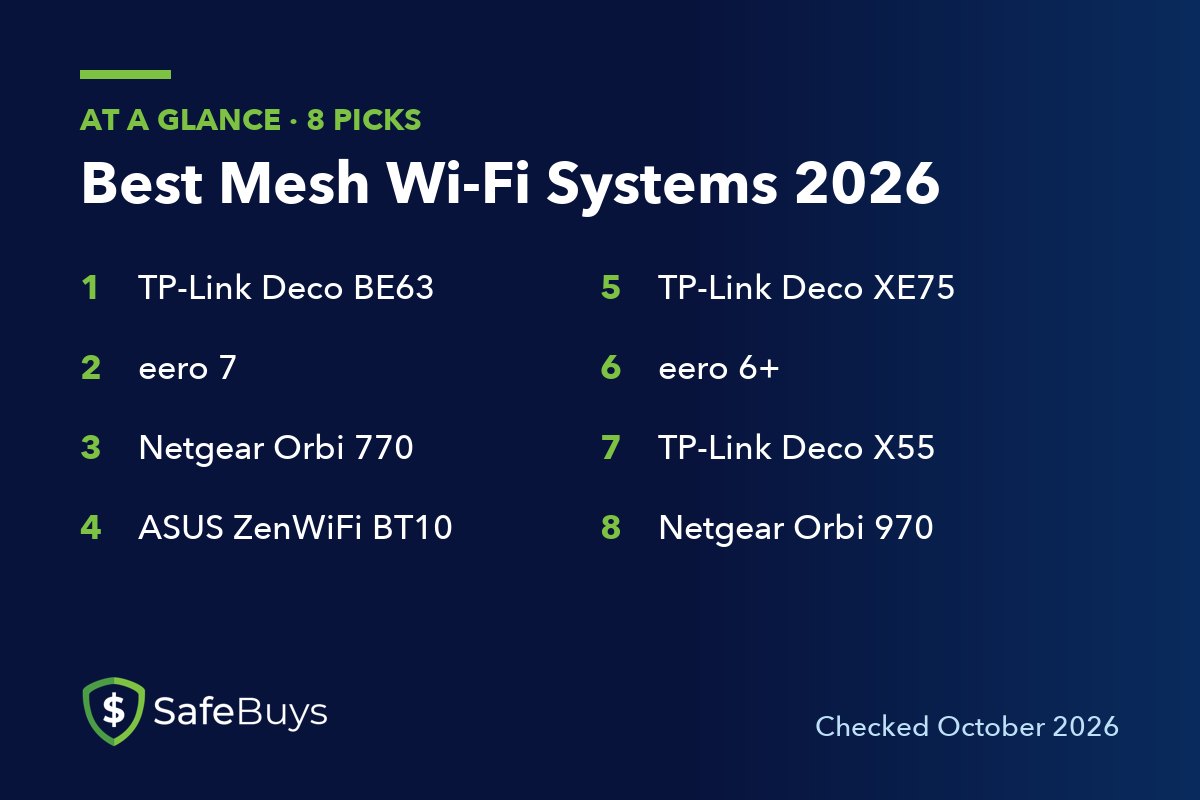
The eight kits below cover all three Wi-Fi generations, from a basic Wi-Fi 6 three-pack to a quad-band flagship. All were listed as current products by their makers when checked.
1. TP-Link Deco BE63 (Wi-Fi 7)
The TP-Link Deco BE63 is a BE10000 tri-band Wi-Fi 7 kit. TP-Link lists 5,188 Mbps on 6 GHz, 4,324 Mbps on 5 GHz and 574 Mbps on 2.4 GHz, with MLO and 320 MHz channels supported.
The ports are what put it at the top. Each unit has four 2.5 Gbps WAN/LAN ports and a USB port, so you can wire the nodes together and still have fast ports left for a PC or NAS. TP-Link rates the two-pack for up to 5,800 square feet and 200 devices. It is sold in one, two and three-packs.
Pros of the Deco BE63
- Full tri-band Wi-Fi 7 with 6 GHz, MLO and 320 MHz channels
- Four 2.5 Gbps ports on every unit
- Wired or wireless backhaul
Cons of the Deco BE63
- No 10 Gbps port for plans faster than 2.5 Gbps
- Older phones and laptops will not use the Wi-Fi 7 features
2. eero 7 (Wi-Fi 7)
The eero 7 is eero’s lowest-priced Wi-Fi 7 router, and it is the simplest kit here to live with. Each unit has two auto-sensing 2.5 GbE ports and, according to eero, covers 2,000 square feet and supports more than 120 devices. eero rates wireless speeds at up to 1.8 Gbps and calls it a fit for internet plans up to 2.5 Gbps.
Setup and management run through the eero app, and updates install on their own. Each unit also works as a smart home hub for Thread, Zigbee and Matter devices. The three-pack lists at about $400 (October 2026). Advanced security, ad blocking and a VPN require the optional eero Plus subscription.
Pros of the eero 7
- App-led setup and automatic updates
- Two 2.5 GbE ports per unit
- Built-in Thread, Zigbee and Matter hub
- Works with every earlier eero generation
Cons of the eero 7
- Only two Ethernet ports per unit
- Advanced security and controls sit behind eero Plus
3. Netgear Orbi 770 (Wi-Fi 7)
The Netgear Orbi 770 three-pack (RBE773) is a tri-band Wi-Fi 7 system built for large houses. Netgear rates it at up to 11 Gbps of combined wireless speed, up to 8,000 square feet of coverage and up to 100 devices at once.
The pack includes one router and two satellites. The router has a 2.5 Gbps WAN port and 2.5 Gbps LAN ports, and each satellite has two 2.5 Gbps ports. Netgear’s store listed the three-pack at about $630 (October 2026), marked down from $699.99. Netgear Armor security is an optional subscription.
Pros of the Orbi 770
- Rated for up to 8,000 square feet with three units
- 2.5 Gbps ports on the router and both satellites
- Tri-band Wi-Fi 7 with 6 GHz
Cons of the Orbi 770
- Rated for 100 devices, fewer than several cheaper kits
- Armor security costs extra
4. ASUS ZenWiFi BT10 (Wi-Fi 7)
The ASUS ZenWiFi BT10 is a BE18000 tri-band Wi-Fi 7 kit for people with multi-gig internet. ASUS lists 11,529 Mbps on 6 GHz, 5,764 Mbps on 5 GHz and 688 Mbps on 2.4 GHz, and rates the two-pack for up to 6,000 square feet.
Each unit has a 10 Gbps WAN/LAN port, a 10 Gbps LAN port, a gigabit WAN/LAN port and USB 3.0. That makes a 10 Gbps wired backhaul possible. The software is the other draw: AiProtection Pro security, parental controls and VPN features, WireGuard among them, are listed as part of the product. It also works with other ASUS routers through AiMesh.
Pros of the ZenWiFi BT10
- Two 10 Gbps ports per unit
- AiProtection Pro security and VPN features built in
- AiMesh works with other ASUS routers
Cons of the ZenWiFi BT10
- Only one extra port, at gigabit speed, beyond the two 10 Gbps ports
- More settings than a beginner needs
5. TP-Link Deco XE75 (Wi-Fi 6E)
The TP-Link Deco XE75 is an AXE5400 tri-band Wi-Fi 6E kit. It is the middle step: you get the 6 GHz band without paying for Wi-Fi 7. TP-Link lists 2,402 Mbps on 6 GHz, 2,402 Mbps on 5 GHz and 574 Mbps on 2.4 GHz.
Each unit has three gigabit ports with WAN/LAN auto-sensing, and the kit supports optional Ethernet backhaul. TP-Link says it handles up to 200 devices and suggests the two-pack for three to five-bedroom houses and the three-pack for larger ones.
Pros of the Deco XE75
- 6 GHz band at a Wi-Fi 6E price
- Three Ethernet ports on every unit
- Rated for up to 200 devices
Cons of the Deco XE75
- Gigabit ports only, so no multi-gig wired speeds
- No MLO or 320 MHz channels
6. eero 6+ (Wi-Fi 6)
The eero 6+ is the kit for gigabit plans and tight budgets. eero calls it its most affordable gigabit system. Each router has two auto-sensing 1 GbE ports, covers 1,500 square feet and supports more than 75 devices, according to eero, with wireless speeds up to 940 Mbps.
It has the same app, automatic updates and smart home hub as the pricier eero models. The three-pack lists at about $300 (October 2026). eero also sells a cheaper extender version, but note that the extender has no Ethernet ports and cannot connect to a modem.
Pros of the eero 6+
- Low cost for a three-pack from a major brand
- Same app and smart home hub as the eero 7
- Can be mixed with other eero generations later
Cons of the eero 6+
- Wi-Fi 6 only, with no 6 GHz band
- Rated for 75+ devices, the lowest count in this list
- Two gigabit ports per unit
7. TP-Link Deco X55 (Wi-Fi 6)
The TP-Link Deco X55 is an AX3000 dual-band Wi-Fi 6 kit, with 2,402 Mbps on 5 GHz and 574 Mbps on 2.4 GHz. It is the plain, low-cost answer to dead zones.
TP-Link rates the two-pack for up to 4,500 square feet and the three-pack for up to 6,500 square feet, with support for more than 150 devices. Each unit has three gigabit ports, one more than the eero 6+, and the kit supports Ethernet backhaul.
Pros of the Deco X55
- Three gigabit ports per unit
- Large rated coverage for a Wi-Fi 6 kit
- Ethernet backhaul supported
Cons of the Deco X55
- Dual-band only, with no 6 GHz band
- No 6 GHz and no multi-gig ports
8. Netgear Orbi 970 (Wi-Fi 7)
The Netgear Orbi 970 is the money-no-object option. It is a quad-band BE27000 Wi-Fi 7 system with one 6 GHz band, two 5 GHz bands and a 2.4 GHz band. Netgear rates the three-pack for up to 10,000 square feet and up to 200 devices.
The router has a 10 Gbps internet port, a 10 Gbps LAN port and four 2.5 Gbps LAN ports. Each satellite has a 10 Gbps port and two 2.5 Gbps ports. Netgear’s store listed the three-pack at about $1,800 (October 2026), reduced from $1,999.99. Few homes need this much hardware.
Pros of the Orbi 970
- Quad-band design with a second 5 GHz band
- 10 Gbps ports on the router and every satellite
- Highest rated coverage in this guide
Cons of the Orbi 970
- Costs several times as much as the Deco BE63
- Overkill for internet plans under 2 Gbps
Mesh Wi-Fi Buyer Questions
Is a mesh Wi-Fi system better than a single router?
Only if coverage is the problem. A mesh kit spreads the signal over more area. It does not raise the speed of your internet plan. In a small apartment, one good router is cheaper and just as fast.
How many mesh nodes do I need?
Start with the maker’s coverage rating, then subtract for walls and floors. Two nodes cover most two-story houses. Add a third for a basement, a long single-story layout or a detached garage. Too many nodes close together can hurt as much as too few.
Is Wi-Fi 7 mesh worth it over Wi-Fi 6?
It depends on your devices and plan. Wi-Fi 7 features such as MLO only work with Wi-Fi 7 phones and laptops. If your plan is 500 Mbps and your devices are a few years old, a Wi-Fi 6 kit like the Deco X55 or eero 6+ does the job for far less.
Can I use Ethernet between mesh nodes?
Yes, on every kit in this guide except the eero 6+ extender add-on, which has no Ethernet ports. Wired backhaul is the single best upgrade for a mesh system if your home has the cabling.
Conclusion
Buy the TP-Link Deco BE63 if you want one kit that will last: tri-band Wi-Fi 7 and four 2.5 Gbps ports per unit cover most homes and most internet plans. Choose the eero 7 if easy setup matters more than ports, and the Netgear Orbi 770 for a very large house.
With a multi-gig plan and Ethernet in the walls, the ASUS ZenWiFi BT10 and its 10 Gbps ports make the most sense. On a budget, the eero 6+ and TP-Link Deco X55 solve dead zones for gigabit plans, and the Deco XE75 adds 6 GHz for a little more. The Orbi 970 is for the largest homes and fastest plans only.